
PeaZip 64 bit7.3.2 - Download
You'll be able to download in few seconds.
Publisher Description
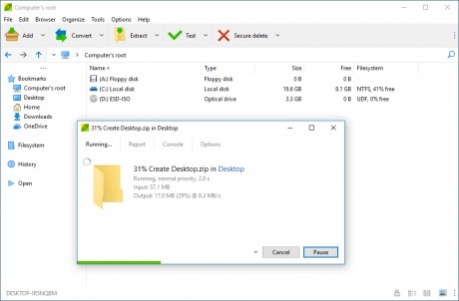
PeaZip for Windows 64 bit is a free ZIP software optimized for WIN64 systems.
The application is based on powerful and solid Open Source technology of 7-Zip for managing mainstream archive formats, and other great Open Source tools (like Brotli, FreeARC, PAQ, UPX, Zstandard...) for supporting special purpose file formats and features, in order to provide a flexible zip/unzip/unrar utility featuring a comprehensive and user friendly GUI that, unlike most archive managers (i.e. WinZip and WinRar), is natively portable and cross-platform.
Create 7Z, ARC, BR, BZ2, GZ, *PAQ, PEA, QUAD/BALZ, TAR, UPX, WIM, XZ, ZIP, ZST files
Open and extract over 200 archive types: RAR, ACE, ARJ, CAB, DEB, DMG, ISO, LHA, RPM, UDF, ZIPX files and more...
PeaZip is localized in more than 30 languages and it is capable of handling all most popular archive formats (180+ file types), supporting a wide array of advanced file and archive management features (tabbed browsing, search, bookmarks, thumbnail viewer, hashing, find duplicate files, edit files inside archives, convert archives...), especially focused on security (strong encryption, two factor authentication, encrypted password manager, secure deletion...).
The distinctive trait of PeaZip is the innovative and easy to use compression/extraction interface, more similar to CD/DVD burners interfaces rather than to a classic file compressor. This design makes extremely simple to check (and update) items set for compression and extraction, integrating a full featured file manager component.
Also, tasks created in the GUI can be easily saved and scheduled as batch scripts, in order to automate backup and restore operations, or for fine tuning, or for learning purpose, bridging the gap between the ease of use of GUI applications and power and flexibility of console.
About PeaZip 64 bit
This File Compression program is available in English, Arabic, Byelorussian, Chinese, ChineseSimplified, ChineseTraditional, Czech, Dutch, French, Galician, German, Greek, Hungarian, Italian, Japanese, Korean, Norwegian, Polish, Portuguese, Romanian, Russian, Singhalese, Spanish, Swedish, Turkish, Ukrainian, Vietnamese. It was last updated on 29 September, 2026. PeaZip 64 bit is compatible with the following operating systems: Other, Windows.
The company that develops PeaZip 64 bit is Giorgio Tani. The latest version released by its developer is 7.3.2.
The download we have available for PeaZip 64 bit has a file size of 8.4 MB. Just click the green Download button above to start the downloading process. The program is listed on our website since 2020-06-23 and was downloaded 0 times. We have already checked if the download link is safe, however for your own protection we recommend that you scan the downloaded software with your antivirus. Your antivirus may detect the PeaZip 64 bit as malware if the download link is broken.
How to install PeaZip 64 bit on your Windows device:
- Click on the Download button on our website. This will start the download from the website of the developer.
- Once the PeaZip 64 bit is downloaded click on it to start the setup process (assuming you are on a desktop computer).
- When the installation is finished you should be able to see and run the program.
Program Details
General
System requirements
Download information
Pricing
Version History
version 7.3.2
posted on 2020-06-23
Fixes, improved creation of RAR files, more formats supported
version 7.3.1
posted on 2020-06-02
Fixes, improved themes, Zstd 1.4.5
version 7.3.0
posted on 2020-05-18
Improved browsing, archiving and extraction. New BLAKE2 hashes.
version 7.2.1
posted on 2020-04-27
Fixes, new SMART tool, can now add to encrypted archive from context menu
version 7.0.1
posted on 2019-12-29
Improved speed and memory usage, added navigation with extra mouse buttons, various fixes
version 6.9.2
posted on 2019-09-01
Fixes, improved translation of context menus
version 6.9.1
posted on 2019-08-25
Fixes, updated translations
version 6.9.0
posted on 2019-08-18
Can now edit files in archives, add files to archive subdirectory, and display remaining time for archiving / extraction
version 6.8.1
posted on 2019-06-14
Improved progress bar, drag and drop extraction, and handling encrypted archives
version 6.8.0
posted on 2019-05-05
Improved drag and drop extraction and file copy
Disclaimer
External Download
We do not host PeaZip 64 bit on our servers. We did not scan it for viruses, adware, spyware or other type of malware. This app is hosted by the software publisher and passed their terms and conditions to be listed there. We recommend caution when installing it.
The external download link for PeaZip 64 bit is provided to you by apps112.com without any warranties, representations or guarantees of any kind, so access it at your own risk.
If you have questions regarding this particular app contact the publisher directly. For questions about the functionalities of apps112.com contact us.
